How to switch marketing agencies without losing rankings or accounts
The order of operations that keeps your domain, accounts, tracking and rankings safe when you change agencies.
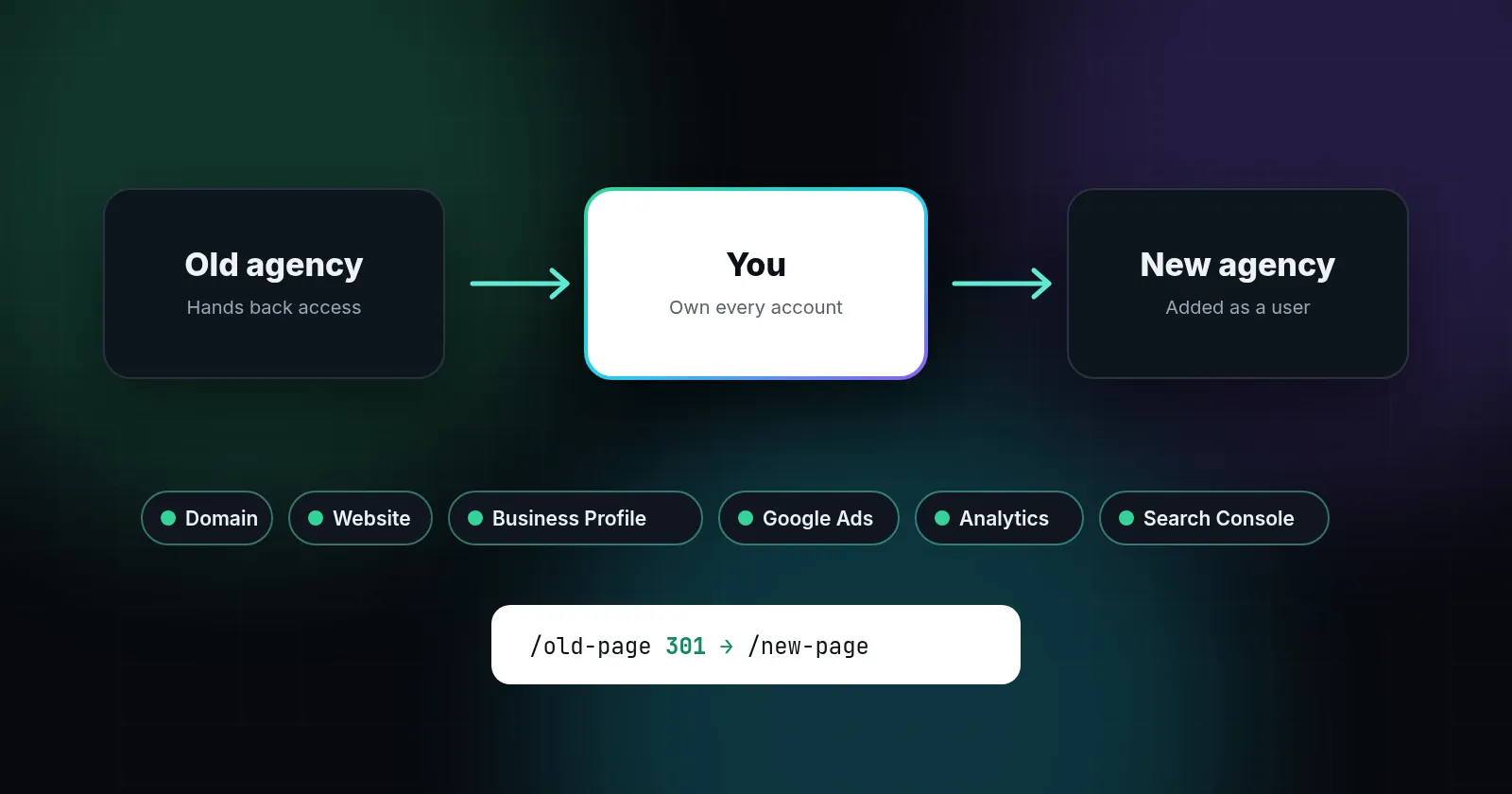
To switch marketing agencies without losing rankings or accounts, secure ownership first and give notice second. Make sure you're the owner or admin of your domain, hosting, website, Google Business Profile, Google Ads, Google Analytics, Search Console and Tag Manager. Export your data, keep tracking running, and if the website itself must change, map every old URL to a new one with permanent 301 redirects. Google advises keeping those redirects for at least a year.
Rankings rarely drop because an agency leaves. They drop because something breaks during the handover: a website gets switched off, URLs change without redirects, tracking disappears, or a Business Profile ends up in the wrong hands. Each of those can be avoided with the right order of operations.
This guide is for local business owners who want to change agencies, or bring marketing in-house, without drama.
Step 1: Take inventory before you say anything
List every account and asset involved in your marketing, and who controls each one today. Do this quietly, before giving notice. It keeps the conversation calm and gives you leverage if anything is unclear.
| Asset | What "you own it" means |
|---|---|
| Domain name | Registered in your business's name, at a registrar account you can log in to |
| Hosting and website | Hosting account in your name, plus admin login to the site (WordPress, Wix, etc.) |
| Google Business Profile | You are the primary owner |
| Google Ads | You have Admin access on your own account, not just a view inside the agency's manager account |
| Google Analytics | You have the Administrator role on the property |
| Search Console | You are a verified owner |
| Google Tag Manager | You are an administrator on the account and can publish |
| Call-tracking numbers | You know which provider holds them, and whether they can be ported to you |
| Social, review and directory profiles | Logins held by your business |
Step 2: Fix ownership while the relationship is friendly
Ask your current agency to make you an owner or admin wherever you aren't one. Frame it as housekeeping. Accounts are sometimes set up under an agency's login for convenience, not bad intent.
- Business Profile: owners can add other owners and transfer primary ownership. Google notes that new owners and managers must wait 7 days before transferring primary ownership or removing users, so build in a week (Manage Business Profile owners and managers).
- Google Ads: only Admins can give access and change access levels. Google also recommends having more than one administrator, because an account with a single admin can lose access to its tags (About access levels).
- Analytics, Search Console and Tag Manager: each has its own user roles (Analytics users, Search Console permissions, Tag Manager permissions). Get the top role in each.
Domain names deserve extra care. If the domain is registered in the agency's name, you'll need a change of registrant. Under ICANN's transfer policy, registrars must impose a 60-day lock on moving the domain to another registrar after a change of registrant, unless the registrant opted out beforehand (ICANN Transfer Policy). If you also plan to move registrars, ICANN advises requesting the registrar transfer before the change of registrant to avoid that lock.
Step 3: Export what you can't easily rebuild
- A full website backup (files and database), even if the site isn't changing.
- Google Ads: download campaign structure, keywords, negatives and search terms reports.
- Analytics: note your key events and conversion settings. Google Analytics keeps user-level data for 2 or 14 months depending on your settings, which affects explorations but not standard reports (Data retention).
- Copies of content the agency wrote for you: page copy, articles, images.
- The current list of call-tracking numbers and where each one is used.
Step 4: Give notice with a written handover list
Send your notice with a clear checklist: confirm ownership transfers, leave all tracking tags in place, don't delete campaigns, content or pages, hand over any logins they created for you, and provide a final report. Check your contract's notice period and what it says about content ownership. If you're choosing a new agency, our questions to ask before signing will help you avoid the same problems next time.
Step 5: If the website stays, change nothing at first
The safest switch is one where the website, its URLs and its tracking stay exactly the same while the new agency gets up to speed. Google's site move guidance recommends changing one thing at a time rather than combining a domain move, a new platform and a redesign (Google Search Central: Site moves). A new agency that wants to rebuild your site in week one should explain why it can't wait.
Step 6: If the website must change, map every URL
Sometimes the old site was built on the agency's platform and can't come with you. Then the URLs will probably change, and this is the step where rankings are most at risk. Google's guidance is specific:
- Make a list of every old URL, especially pages that get traffic or have links, and map each to its closest new equivalent.
- Use server-side permanent redirects (301 or 308). Google says these don't cause a loss in PageRank.
- Avoid redirect chains, and don't redirect lots of old pages to the homepage. Google says that can be treated as a soft 404.
- Give each new page a self-referencing canonical tag and update internal links.
- Submit the new sitemap in Search Console.
- Keep redirects for as long as possible, generally at least 1 year.
Expect some movement. Google says rankings may fluctuate during a move, and that for a medium-sized site it can take a few weeks or more for Google to start showing the new URLs. That's normal. A steady decline over months is not.
Step 7: Keep tracking unbroken
If tracking stops during the handover, you lose the before-and-after comparison that tells you whether the switch worked. Make sure the Analytics tag, Ads conversion tags and call tracking keep firing on the old site until the moment it's replaced, and on the new site from its first minute. Test a form submission and a call on launch day.
Write down your lead numbers for the last full month before the switch. That baseline is the simplest way to judge, three months later, whether the change helped.
Step 8: Watch the first 90 days
- Week 1: confirm you hold every login, tracking is firing, and leads are arriving.
- Weeks 2–4: if URLs changed, check Search Console for "not found" errors and fix missing redirects.
- Months 1–3: compare leads, map box positions and organic traffic with the same period last year, not just last month.
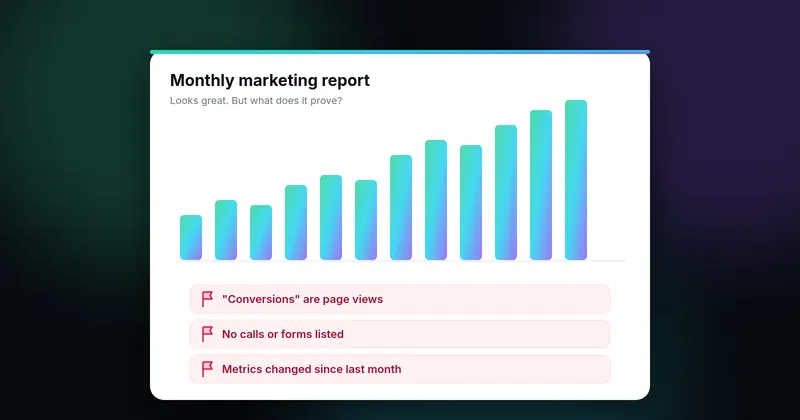
For what to look for in reports from your new agency, see red flags in monthly agency reports.
The most expensive mistakes
- Giving notice before securing the domain, Business Profile and Ads account.
- Letting the old site go offline before the new one is live with redirects.
- Redirecting everything to the homepage.
- Losing the call-tracking numbers printed on your trucks and flyers.
- Starting a new Ads account and abandoning the old account's history and settings.
- Changing domain, platform and design all at once.
None of these require technical skill to avoid, only the right order. If you'd like an outside check of what you own before you make the move, send us a question or request a free mini-audit from the homepage.
Sources
- Manage Business Profile owners and managers (support.google.com)
- About access levels (support.google.com)
- Analytics users (support.google.com)
- Search Console permissions (support.google.com)
- Tag Manager permissions (support.google.com)
- ICANN Transfer Policy (www.icann.org)
- Data retention (support.google.com)
- Google Search Central: Site moves (developers.google.com)
Sources checked on October 18, 2026. Spot an error or an outdated link? Email james@agencyreferee.com and we’ll correct it.