How to check your Google Business Profile yourself in 15 minutes
A minute-by-minute checklist, based on Google’s own guidelines, for the profile customers see on Search and Maps.
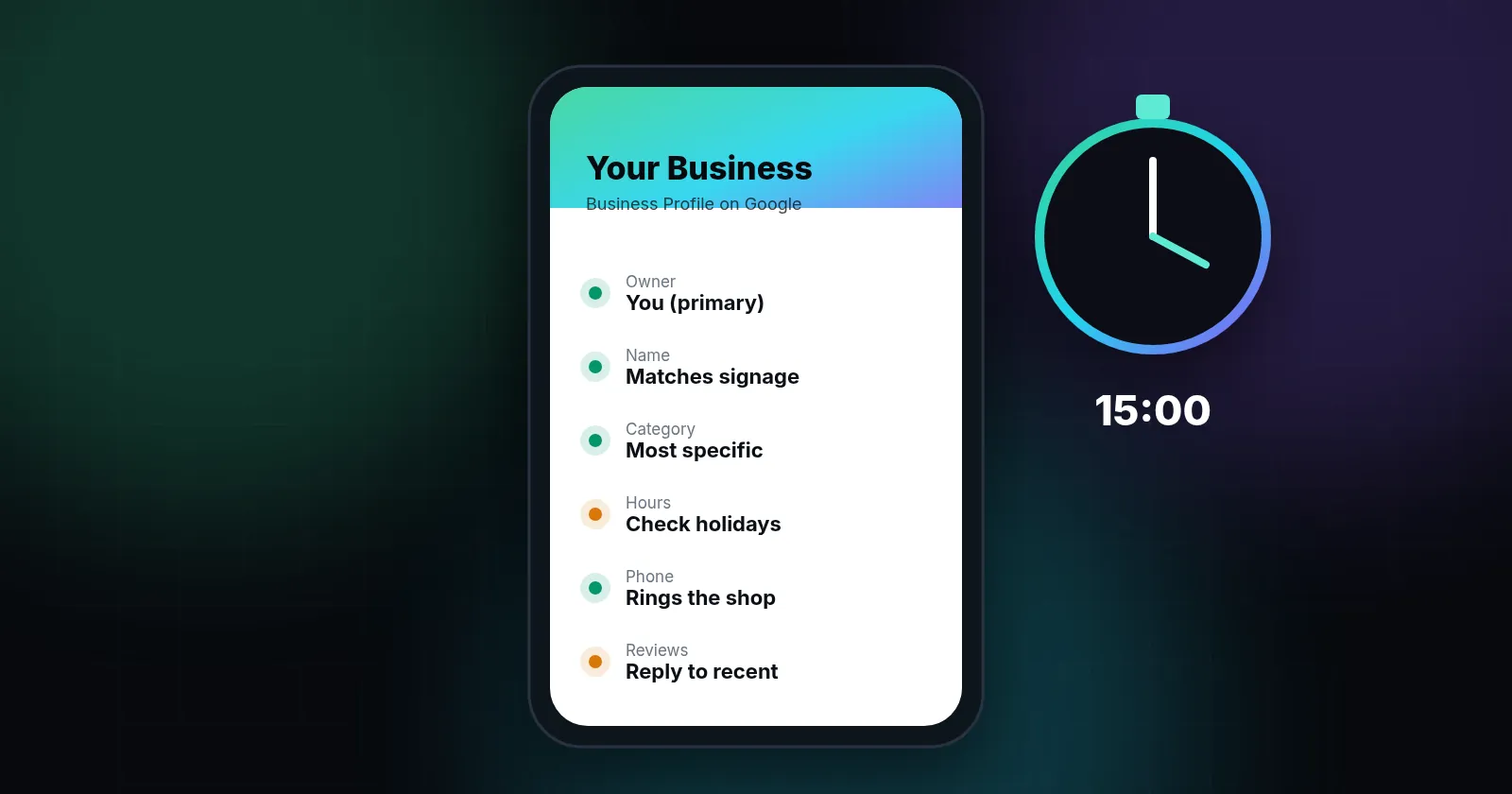
In 15 minutes you can check the parts of your Google Business Profile that matter most: that you're the owner, that your name matches your real signage with no added keywords, that your primary category is the most specific one that fits, that your address or service area, hours, phone and website are correct, that photos are recent, and that recent reviews have replies. These are the fields Google's guidelines cover most directly, and the easiest to check yourself.
Your Business Profile is the panel that appears on Google Search and Maps when someone looks for you or for your type of business nearby. It can be the first thing a customer sees, before your website. It's also something you're likely paying an agency to manage. Here's how to check it yourself, with a timer.
You'll need: a phone, the Google account that should own the profile, and a private browser window.
Minutes 0–2: Confirm who owns it
Sign in and open your profile (search your business name on Google while signed in, or use Google Maps). Find People and access in the profile settings. Google lets a profile have multiple owners but only one primary owner. Managers can edit almost everything, but can't add or remove users or delete the profile (Manage your Business Profile owners and managers).
- You, or someone at your business, is the primary owner.
- Your agency is a manager, not the primary owner.
- Former employees and former agencies have been removed.
If an agency is the primary owner, ask them to transfer primary ownership to you. Google notes that a new owner or manager must wait 7 days before they can transfer primary ownership or remove other users, so start early.
Minutes 2–5: Name and category
Name. It should match the name on your sign, invoices and website, and nothing more. Google's guidelines say that including unnecessary information in your business name isn't permitted and could lead to suspension. Examples it lists as not allowed include marketing taglines, phone numbers, website URLs, service descriptions and location details added to the name (Guidelines for representing your business on Google).
If your profile says "Smith Roofing – Best Roof Repair Austin TX" but your truck says "Smith Roofing", that's a risk your agency should explain.
Primary category. Google advises using as few categories as possible, choosing the most specific ones that describe your core business, and picking categories that complete the sentence "This business IS a…" rather than "this business HAS a…". A dental practice should be "Dentist" (or a more specific type if accurate), not a list of every treatment.
- Name matches real-world signage exactly.
- Primary category is the most specific accurate one.
- Secondary categories, if any, are real lines of business, not keywords.
Minutes 5–8: Address, area, hours, phone, website
Address or service area. If customers visit you, the address should be exact. If you travel to customers (roofers, plumbers, HVAC), Google says service-area businesses should hide their address and set a service area. A rented mailing address or virtual office isn't eligible for a profile.
Hours. Regular hours plus holiday hours. Wrong hours are one of the fastest ways to lose a call.
Phone. Call it from your mobile. Google's guidelines ask for a number that connects to your business and is under the business's direct control. If your agency uses a call-tracking number here, ask who owns that number and what happens to it if you leave.
Website. Tap the link. It should go to your own site, ideally to the right location page if you have several, and not to a page the agency controls.
- Address is exact, or hidden with a service area set if you travel to customers.
- Hours, including upcoming holidays, are correct.
- The phone number rings at your business, and you know who owns it.
- The website link opens your own site.
Minutes 8–11: Photos, services, description
Look at your profile the way a stranger would. Are there recent photos of your team, vehicles, premises or work? Are your services listed? Does the description say plainly what you do and where?
Google's guidelines say the business description shouldn't contain links or focus on promotions and prices, and should be relevant to your business. Keyword-stuffed descriptions don't belong there.
- At least a few photos from the last few months.
- Services or products listed and accurate.
- Description is plain, accurate, and has no links.
Minutes 11–14: Reviews
Scroll through your latest reviews. Have recent reviews, especially negative ones, received calm, specific replies? Google's advice is to reply to reviews to show customers their feedback matters, and to keep replies short and direct (Tips to get more reviews).
Also watch for anything that looks bought or staged. In the US, the Federal Trade Commission's 2024 rule bans fake reviews and testimonials, including AI-generated ones, and buying reviews that express a particular sentiment. It allows the agency to seek civil penalties against knowing violators (FTC announcement, August 14, 2024). If an agency offers to "boost" reviews in ways that sound like this, say no.
- Recent reviews have replies, including negative ones.
- No signs of bought, incentivized-for-positive or staff-written reviews.
Minute 14–15: Look for duplicates
Search Google Maps for your business name and phone number. Google says there should be only one profile per business per location, because duplicates can cause problems with how your information displays. Old addresses, a previous business name or a profile someone else created can all leave duplicates behind.
- Only one profile exists for each of your locations.
If your profile has been suspended
A suspended or disabled profile may disappear from Maps, or show a warning when you sign in. Google says it may suspend or disable profiles that don't follow its guidelines, and that you can submit an appeal if you believe the profile should be reinstated (Fix suspended or disabled profiles). Before appealing, fix the likely cause, such as a keyword-stuffed name, an ineligible address or a duplicate, all of which Google's guidelines address. Gather proof such as signage photos, a business license or utility bills. If your agency made the edits that triggered the suspension, ask them to explain exactly what changed and when.
What to do with what you found
Fix simple things yourself: hours, photos, phone. For anything involving the name, categories, ownership or duplicates, ask your agency to explain the current setup and the reasoning, using the guideline links above. Name and category changes can affect how your profile appears, so it's sensible to make them deliberately rather than all at once.
Ranking in the map box depends on more than the profile. Google says local results are based mainly on relevance, distance and popularity (Tips to improve your local ranking). A complete, accurate profile helps with relevance. Reviews and your wider reputation feed popularity. Distance is out of anyone's control, which is why a good agency won't promise you the top spot across your whole metro area.
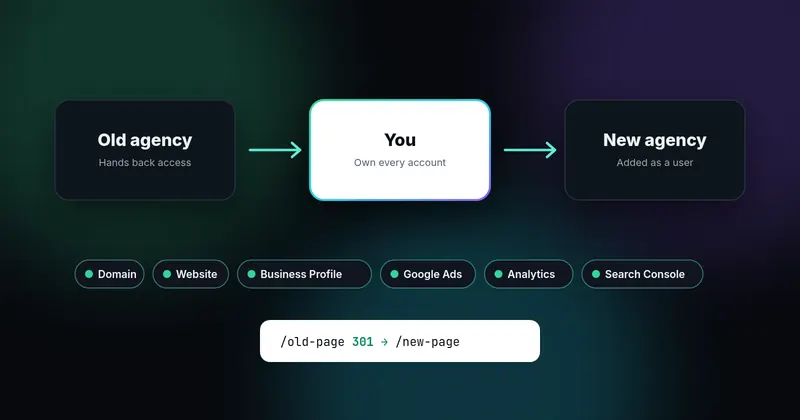
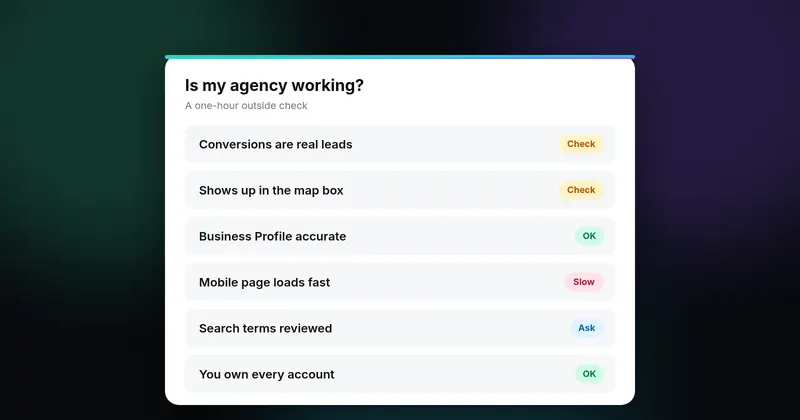
This check is one part of a bigger picture. For the full view, see how to tell if your marketing agency is working, and if you're planning a change, read how to switch agencies safely first.
Printable checklist
- I'm the primary owner. My agency is a manager.
- Name matches signage with no added keywords.
- Primary category is specific and accurate.
- Address or service area is correct.
- Hours, phone and website are correct and tested.
- Recent photos, services listed, plain description.
- Reviews answered, none fake or bought.
- No duplicate profiles.
Sources
- Manage your Business Profile owners and managers (support.google.com)
- Guidelines for representing your business on Google (support.google.com)
- Tips to get more reviews (support.google.com)
- FTC announcement, August 14, 2024 (www.ftc.gov)
- Fix suspended or disabled profiles (support.google.com)
- Tips to improve your local ranking (support.google.com)
Sources checked on October 18, 2026. Spot an error or an outdated link? Email james@agencyreferee.com and we’ll correct it.