Red flags in monthly marketing agency reports
Eleven warning signs that a good-looking report isn’t telling you what you need to know, and the question to ask for each.
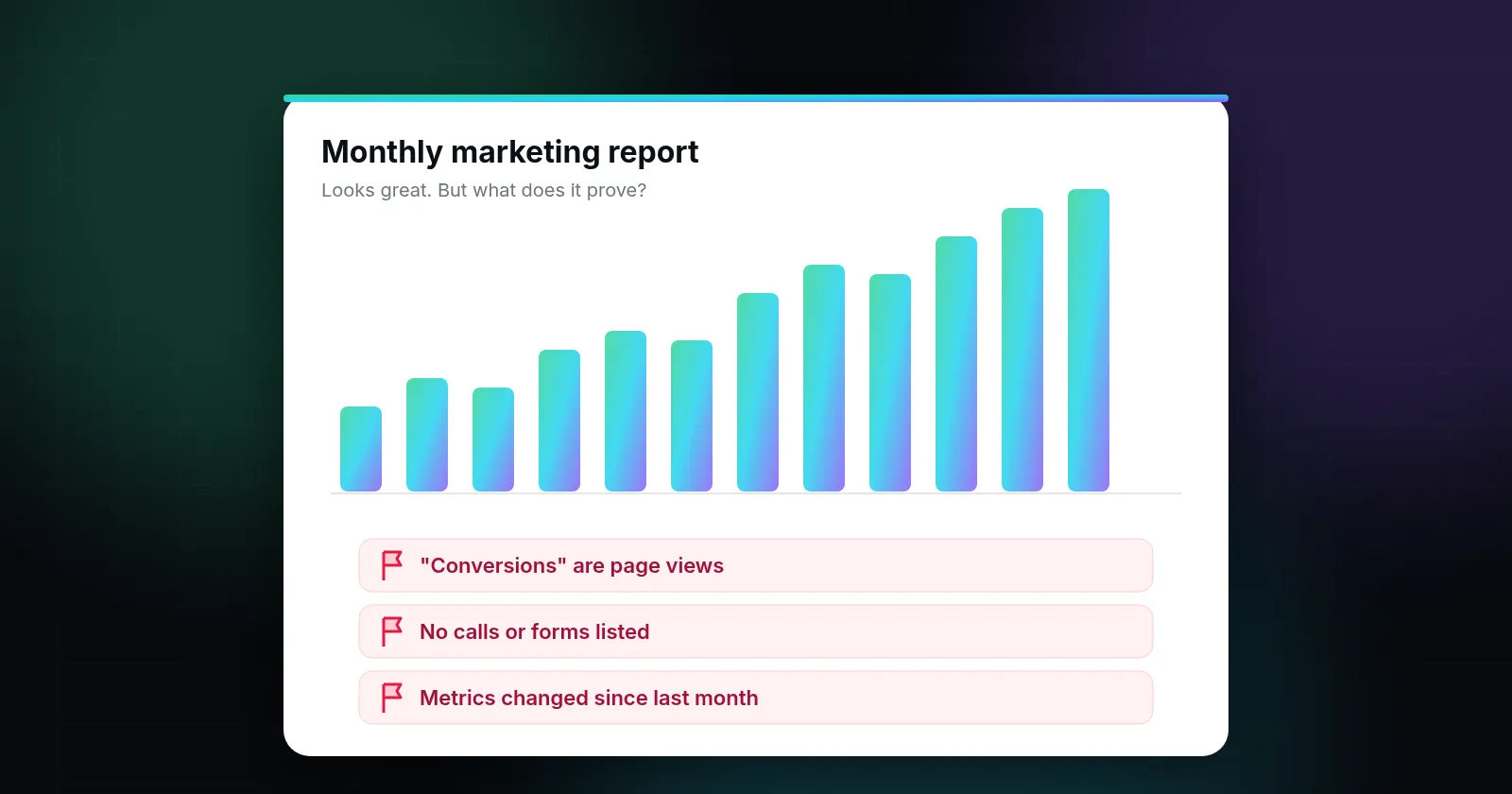
The biggest red flags in a monthly agency report are: no leads or calls anywhere in it, "conversions" that turn out to be page views, rankings for terms nobody searches, numbers you can't check in your own accounts, changing date ranges or metrics from month to month, and no list of the work actually done. A useful report links spend to leads, says where every number comes from, and admits what didn't work.
A monthly report can look impressive: charts going up, green arrows, a long list of keywords. The question isn't whether the report looks good. It's whether it helps you decide anything. Below are warning signs worth checking, why each one matters, and the question to ask when you spot it.
1. There are no leads in the report
If the report is all impressions, clicks, sessions and rankings, it's describing activity, not outcomes. For a local business, outcomes are calls, form submissions and booked jobs.
Ask: "How many calls and forms came from each channel last month, and how do you count them?"
2. "Conversions" that aren't customers
In Google Ads and Google Analytics, a conversion is whatever you decide to count. Google's documentation describes conversions as valuable actions such as purchases, calls or form submissions (About conversion measurement). An account can also be set up to count page views, button clicks or time on site. Those numbers rise easily and make cost per conversion look low.
Ask: "Please list every conversion action in our Ads account and what triggers it." Look for anything that isn't a real lead.
3. Rankings for terms nobody searches
"You're #1 for 'best affordable residential roof restoration company in North Springfield'" sounds great until you realize no one types that. Long-tail terms have their place, but a report built around them hides weak positions on the searches that matter.
Ask: "Where do we rank, in the map box and the regular results, for our top five services in our main city?" Then check a few yourself from a private browser window. Results vary by location and device, so compare like with like.
4. Numbers you can't see yourself
Every number in a report should come from a source you can open: Google Ads, Google Analytics, Search Console, your Business Profile, or a call-tracking tool. If figures come from the agency's own dashboard and you have no access to the underlying accounts, you can't verify them.
Google's advice on hiring an SEO notes that third-party tools don't have access to Google's internal ranking data, and suggests checking recommendations against Google's official guidance (Do you need an SEO?).
Ask: "For each chart, which tool does it come from, and am I an admin or owner on that account?"
5. Date ranges and metrics that keep changing
One month compares to last month, the next compares to last year, then a new metric appears and an old one disappears. Sometimes there's a good reason. That can keep the arrows green.
Ask: "Can we fix the report format: the same metrics, this month vs. last month and vs. the same month last year, every time?" Year-over-year comparisons matter for seasonal trades like HVAC and roofing.
6. No list of work done
A report should say what the agency did: pages changed, ads paused or added, profile updates, technical fixes. Without that, you can't connect results to effort, and you can't tell whether anything happened at all.
In Google Ads, the change history shows edits made to an account (About change history). If the report says "ongoing optimization" but change history shows little activity for weeks, ask about it.
7. The search terms report is missing
For paid search, the search terms report shows the actual searches that triggered your ads (About the search terms report). It's the most direct way to see wasted spend, such as searches for jobs, DIY instructions or a competitor's brand. A report that never shows search terms, or the negative keywords added, leaves out one of the most useful views.
Ask: "Send last month's top search terms by spend, and the negatives you added."
8. Only averages, never splits
An average cost per click across all campaigns can hide one campaign that converts well and another that burns money. The same goes for blending branded searches (people already looking for you by name) with non-branded searches (new customers). Branded searches naturally look strong, since those people were already looking for you, and blending them in flatters the total.
Ask: "Can you split results by campaign, and separate branded from non-branded searches?"
9. Nothing ever goes wrong
Every account has months where something doesn't work. A report that's always positive is either not looking closely or not telling you. Good agencies write a short "what didn't work and what we're changing" section.
10. Tracking stopped and no one said so
Website redesigns, new booking widgets and tag changes can quietly break tracking. A sudden drop to zero conversions, or a sudden doubling, can mean measurement changed rather than reality, so check that first. A good report flags this. A weak one reports the new numbers as if nothing happened.
Ask: "Were there any tracking changes this month, and did lead counts match what our office recorded?"
11. Every call counts as a lead
Call tracking is valuable for local businesses, but a raw call count includes wrong numbers, existing customers, vendors, spam and hang-ups. Counting all of them as "leads" can make a channel look far better than it is. Google Ads, for example, lets advertisers set a minimum call length before a call from an ad counts as a conversion, so short calls don't inflate the total (About phone call conversion tracking).
Ask: "What's the minimum call length you count, and are repeat callers counted once or every time?" Then listen to a handful of recorded calls, if recording is enabled and legal in your state, and see how many were real new customers.
What a useful report includes
- Spend, leads and cost per lead, split by channel and campaign.
- Leads defined clearly: calls over a set length, form submissions, bookings.
- Branded and non-branded search shown separately.
- Map box and organic positions for your main services in your main area, with the date and location of the check.
- The search terms that spent the most, and negatives added.
- A list of work done, plus what's planned next month.
- What didn't work, and the change being made.
- The source tool for every number, in accounts you own.
A five-minute report review
- Find the lead count. If there isn't one, stop and ask for it.
- Compare it with what your front desk or CRM recorded for the same month.
- Check that last month's report used the same metrics and date comparison.
- Look for the list of work done.
- Pick one number and confirm it in your own account.
If the report passes, great. Your agency is being straight with you. If it fails, bring the specific questions above to your next call. For a broader check, see how to tell if your marketing agency is working.
A note on fairness
Some of these issues come from templates, not bad intent. Some reporting tools come with default templates that emphasize traffic. Asking for a better report is reasonable, and a good agency should be able to adjust the format within a reporting cycle or two. If they won't, that's worth knowing before your next renewal. Our list of questions to ask before you renew can help.
Sources
- About conversion measurement (support.google.com)
- Do you need an SEO? (developers.google.com)
- About change history (support.google.com)
- About the search terms report (support.google.com)
- About phone call conversion tracking (support.google.com)
Sources checked on October 18, 2026. Spot an error or an outdated link? Email james@agencyreferee.com and we’ll correct it.