How to tell if your marketing agency is working
A one-hour check you can run yourself, using accounts you already own and public tools.
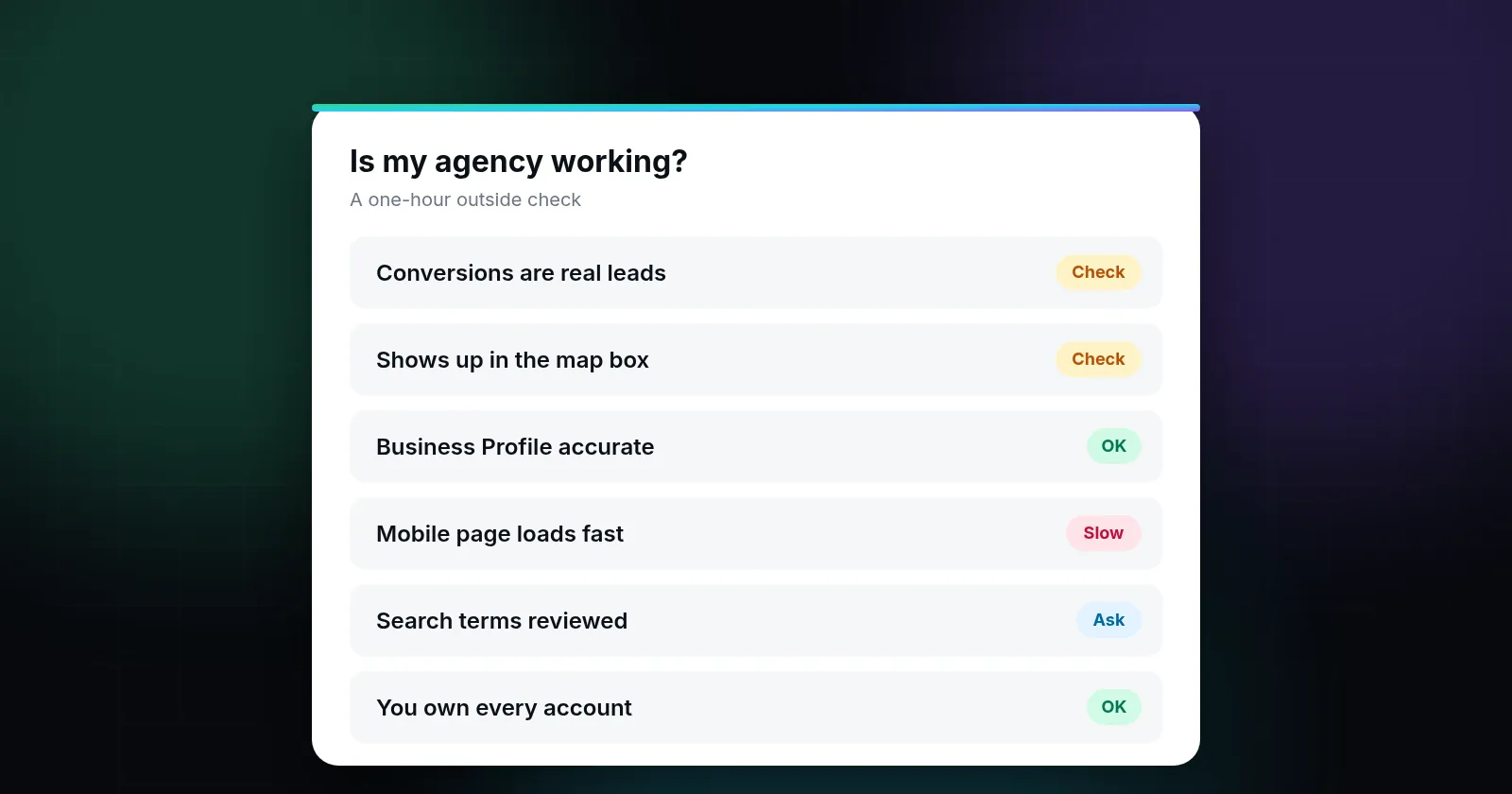
You can tell whether your marketing agency is working by checking four things you own, not the report they send: whether calls and form fills are actually being measured, whether you show up for the searches your customers use, whether your Google Business Profile is complete and accurate, and whether the money you spend can be traced to real leads. If your agency can't show you those four with evidence you can check yourself, you don't yet know if it's working.
Without a clear measure, it's natural for owners of roofing companies, dental practices, HVAC shops and other local businesses to judge their agency by feel. Calls seem busy, so the agency must be fine. Calls slow down, so maybe it isn't. The trouble is that calls move for many reasons, like weather, seasons, a competitor's promotion or the local economy, and the monthly report usually comes from the same people you're paying.
This guide gives you a way to check the work from the outside, in about an hour, without logging in to anything you don't already own. It won't tell you whether you're overpaying. It tells you whether the basics you're paying for are really in place.
1. Start with leads, not traffic
Traffic, impressions and "engagement" are easy numbers to grow and hard numbers to pay rent with. The question that matters is simpler: how many phone calls, booked appointments and form submissions came from marketing last month, and from which channel?
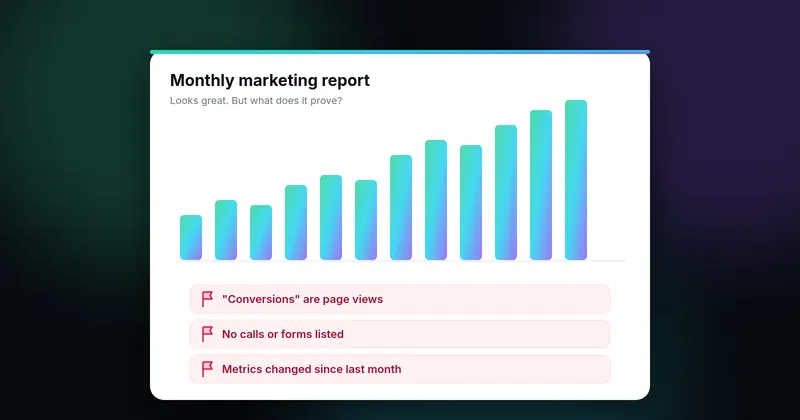
If you run Google Ads, the platform can only optimize toward what it measures. Google describes conversion tracking as the way to see what happens after someone clicks your ad, whether they call, submit a form or buy (Google Ads Help: About conversion measurement). If no conversions are set up, or the "conversions" are page views, the account is spending without a reliable target.
What to ask: "Which actions count as a conversion in our Ads account, and can you show me last month's list?" A good agency will answer in one message, with a screenshot. A vague answer is a finding in itself.
- Conversions are defined as calls, forms or bookings, not page views or time on site.
- Phone calls from ads and from your website are tracked, and you can hear or see a sample of them.
- The lead count in the report roughly matches what your front desk or CRM recorded.
2. Search for yourself the way customers do
Open a private browser window on your phone, stand somewhere in your service area, and search the three or four phrases a customer would actually type: "roof repair near me", "emergency dentist [your city]", "AC not cooling [your city]". Write down where you appear in three places:
- The ads at the top. Is your ad there? Does it lead to a page about that exact service?
- The map box. Are you in the top three? Google says local results are mainly based on relevance, distance and popularity (Google Business Profile Help: Tips to improve your local ranking). Distance you can't change, but the other two are a large part of what you pay an agency for.
- The regular results below. Does your website appear on the first page for your main services?
Results change with location and device, so a single search proves little. Do it on two different days and from two spots. If you're absent everywhere for your core service, ask your agency which searches they're targeting and where they track your position.
3. Check your Google Business Profile
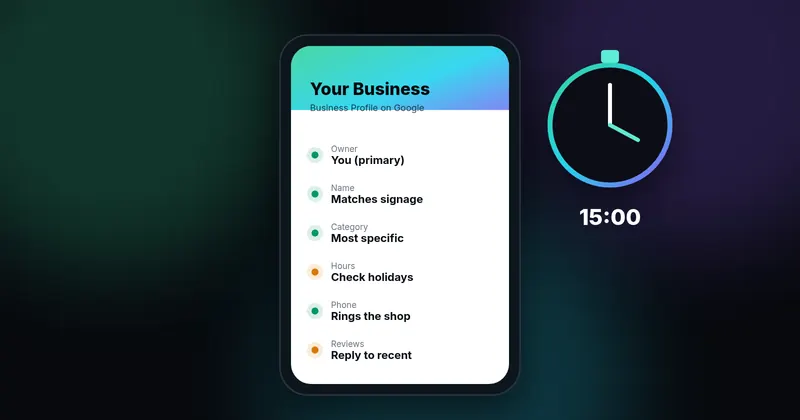
For a local business, the Business Profile can be the first thing people see on Search and Maps, before they ever visit the website. Check that the name matches your real-world signage, the primary category describes what you are, hours are right, the phone number reaches you, and recent photos look like your business today. Google's own guidelines say the name should reflect your real-world name and that adding unnecessary keywords to it can get the profile suspended (Guidelines for representing your business on Google).
We cover this in detail in How to check your Google Business Profile yourself in 15 minutes.
4. Look at your website like a customer, then like a machine
As a customer: open the page your ads point to. Within five seconds, can you tell what you do, where you work and how to call? Is the phone number tappable on mobile?
As a machine: run your homepage and your main ad landing page through PageSpeed Insights. Google's Core Web Vitals guidance says that for a good experience the main content should load within 2.5 seconds (LCP), the page should respond to taps within 200 milliseconds (INP), and the layout shift score should be 0.1 or less (CLS) (web.dev: Web Vitals). A slow mobile page wastes paid clicks no matter how good the ads are.
5. Trace the money
This is the part a report can easily leave out. You want three numbers per channel, per month: what you spent, how many leads came in, and how many of those became jobs. Spend divided by jobs is the number that tells you whether marketing pays for itself.
In Google Ads, the search terms report shows the actual searches that triggered your ads (Google Ads Help: About the search terms report). Ask for it. If you're paying for searches like "free", "jobs" or a competitor's name without intending to, that's money leaving every day.
You can also see which ads run for your domain without logging in, using Google's public Ads Transparency Center. It's a quick way to confirm that the ads you're paying for exist and say what you expect.
6. Confirm you own your accounts
An agency that's working for you should be working inside accounts you own. Check that you, not the agency, are an admin on your Google Ads account, an owner on your Business Profile, and an administrator on Google Analytics and Search Console. Google Ads warns that an account with only one administrator can lose access to its tags if that person becomes unavailable (Google Ads Help: About access levels). Ownership doesn't say anything about performance, but if you don't control the accounts, you can't check performance and you can't leave easily.
The one-hour checklist
- I know which actions count as conversions, and they're real leads.
- Reported leads roughly match what my team recorded.
- I appear in the ads, map box or regular results for my main service in my main city.
- My Business Profile name, category, hours and phone are correct.
- My main landing page loads fast on mobile and makes calling easy.
- I've seen the search terms my ads paid for last month.
- I'm an admin or owner on Ads, Business Profile, Analytics and Search Console.
- I can state my cost per booked job for last month, even roughly.
How to read your results
Mostly yes: your agency is probably doing solid foundational work. Your next conversation is about cost per job and growth, not basics.
Mixed: not necessarily a reason to leave. Take the "no" items to your agency as questions, not accusations. Our guide on questions to ask your SEO agency has wording you can use.
Mostly no: you're paying for work you can't verify. Before switching, secure your accounts. Our guide on switching agencies without losing rankings walks through the order of operations.
What this check can't tell you
Public checks can't show what you spend per lead, how your ad account is structured, or whether a lead turned into revenue. Those need read-only access to your accounts and your own job records. Rankings also vary by location and device, so treat any single search as a sample, not a verdict.
Being fair to agencies matters too. Plenty of agencies do good work and report honestly. The point of this check is not to catch anyone out. It's to replace "I think it's working" with something you can see.
Sources
- Google Ads Help: About conversion measurement (support.google.com)
- Google Business Profile Help: Tips to improve your local ranking (support.google.com)
- Guidelines for representing your business on Google (support.google.com)
- PageSpeed Insights (pagespeed.web.dev)
- web.dev: Web Vitals (web.dev)
- Google Ads Help: About the search terms report (support.google.com)
- Ads Transparency Center (adstransparency.google.com)
- Google Ads Help: About access levels (support.google.com)
Sources checked on October 18, 2026. Spot an error or an outdated link? Email james@agencyreferee.com and we’ll correct it.